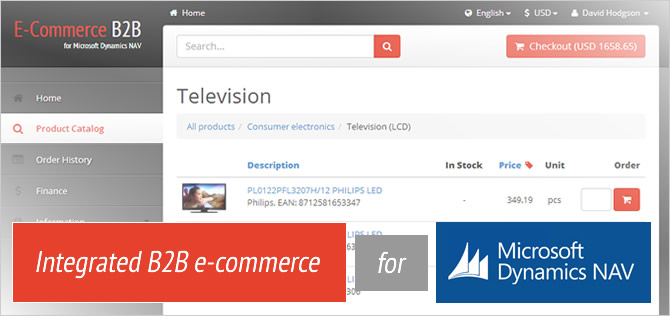
The Functionality of E-Commerce B2B

E-Commerce Web Site - Product List

The cloud-based E-Commerce web application shows your products from Dynamics NAV in a compact and tabular way, with an option to expand each item to see the details.

There is powerful search and filtering available to allow instantly finding the products required.

Item pricing fully supports the model present in Dynamics NAV.

You can add products to the shopping cart either one by one, or many items at once.

E-Commerce Web Site - Product List

E-Commerce Web Site - Current Order (Shopping Cart)

The Current Order page holds the products currently being ordered.

It supports invoice discounts as set up in Dynamics NAV, your existing VAT setup, multiple shipping methods, multiple shipping addresses and more.

Warnings will be issued if the customer has overdue invoices or the credit limit is used up.

E-Commerce Web Site - Current Order (Shopping Cart)

E-Commerce Web Site - Historical Orders

Customers can follow up on order statuses via the Order History page. Draft orders are available from here for accepting or deleting.

Orders being processed and Draft orders are shown by default, and you can also view the full history of your purchases via the E-Commerce application.

Customers can easily repeat their previous orders by copying the contents to the Current Order.

E-Commerce Web Site - Historical Orders

E-Commerce Web Site - Financials

The Financials page displays all the posted financial documents (invoices, payments etc.) from Dynamics NAV.

Only open transactions are shown by default, and you can also view the full list of historical transactions.

This page can be disabled for particular users.

E-Commerce Web Site - Financials

Dynamics NAV - Item Card Extensions (Classic Client)

With Select Solution E-Commerce, the Item card in Dynamics NAV is extended with a new tab and some fields used for e-commerce purposes.

It is easy and straight-forward to fill in. In fact, all the fields are optional, and items can be sold in E-Commerce without filling in any of these fields.

You fill in the fields to enhance and extend the information about your products.

Dynamics NAV - Item Card Extensions (Classic Client)

Dynamics NAV - Authorizing a Contact for E-Commerce

Select Solution E-Commerce provides an easy function to authorize a Contact - the user/purchaser in the E-Commerce web application.

Passwords are generated with a simple function and delivered to customer's e-mail straight from Dynamics NAV.

New customers sign-ups are also supported. When a prospective customer has submitted a form via E-Commerce, you can create all the necessary cards in Dynamics NAV with one click.

Dynamics NAV - Authorizing a Contact for E-Commerce

Dynamics NAV - Order Processing

The Web Order page in Dynamics NAV is the place for processing the orders. You can quickly check for human errors and accept the order (create a NAV Sales Order) with a single click.

Additional processing options are available - splitting off the backorder if you are out of stock, e-mail notifications about order changes, or rejecting the order completely.

Dynamics NAV - Order Processing

Dynamics NAV - Data Replication Setup

On the technical side of things, Select Solutions E-Commerce uses data replication technology to operate your cloud-based e-commerce site.

Initially setting up the dataset for replication is just a one-click matter of downloading the configuration from your E-Commerce site.

In the vast majority of cases, customization can be done via configuration here and without any coding required.

Dynamics NAV - Data Replication Setup

Dynamics NAV - Application Setup

The application setup is where you control the behavior of your E-Commerce Add-on in your Dynamics NAV.

It is easy and straight-forward. In addition to some general settings, you set up how to post delivery services, and how to send e-mails (including the content templates).

Dynamics NAV - Application Setup

Contact us

Why Us

E-Commerce for Efficiency

Ideal for B2B trade in manufacturing, distribution, and wholesale business. Fast and functional no-frills solution to boost the efficiency of your sales process. Easily customizable for your business.

Fully Integrated

All product, pricing and other data maintained in Microsoft Dynamics NAV only. No duplicate data entry or maintenance. No additional systems to learn.

Instant and Flexible

Save the precious time with a pluggable ISV solution - add e-commerce to your Dynamics NAV in a matter of few days. Unbeatable flexibility with SaaS-based pricing.